
Lesson
AI Workflow State Machines for Multi-Step AI Workflows
Learning Objectives
After this lesson, you should be able to:
- Define an AI workflow state machine in plain English.
- Distinguish workflow state from model context, memory, and logs.
- Map a business process into states, transitions, AI task nodes, validation gates, review states, and terminal outcomes.
- Explain why retries, idempotency, and side-effect tracking matter in production AI workflows.
- Decide when a bounded agentic step belongs inside a state-controlled workflow.
Prerequisites
Helpful background: basic familiarity with LLMs, APIs, webhooks, queues, structured outputs, business systems, and approval workflows.
No formal computer science background is required. If you understand a flowchart or a ticket moving through a support process, you can understand the core idea.
Main Lesson Body
The Production Problem: The Model Is Quietly Running the Process
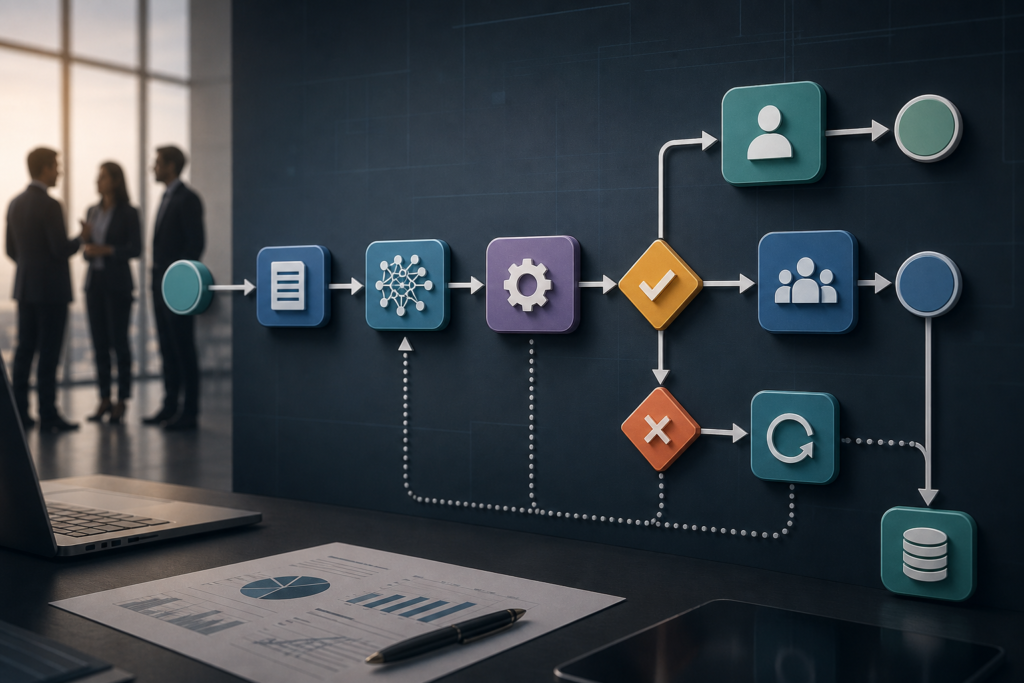
AI workflow state machines are a way to represent each stage of an AI-assisted business process, including where the work is, what happened, what is allowed to happen next, what can fail, what can be retried, and what must be reviewed. The goal is to avoid using an autonomous agent as the hidden controller for predictable business processes.
A common AI workflow starts simply: classify a ticket, extract invoice fields, draft an email, summarize a contract, or recommend a next action. Then the team adds more steps. The system retrieves records, calls tools, writes to a CRM, asks for human approval, handles exceptions, and logs the outcome.
At that point, the hard problem is no longer the prompt. It is workflow state management.
The system needs to know:
- Where is the work right now?
- Which inputs and AI outputs were used?
- Which validations passed or failed?
- What can happen next?
- Which actions already changed an external system?
- What must wait for a person?
- What can be safely retried?
If those answers live only in a prompt, chat transcript, or model memory, the business has a reliability problem.
A better mental model is simple: do not let the model remember the workflow. Design the workflow so the system always knows its state.
For the broader decision between workflows and agents, see AI Agents vs Workflows: A Practical, Reliable Decision Guide. This lesson narrows the focus to state-machine design inside multi-step AI workflows.
Activate Prior Knowledge: Think About a Process You Already Trust
Pick a familiar process:
- A customer support escalation
- An invoice exception review
- A sales follow-up sequence
- A vendor onboarding request
- A contract review
- A document intake queue
Before AI is added, the process usually has stages. A ticket is new, waiting for triage, assigned, escalated, resolved, or closed. An invoice is received, matched, blocked, approved, paid, or rejected. A contract is drafted, reviewed, redlined, approved, signed, or archived.
Those stages are already a rough state machine.
AI does not remove the need for stages. It makes them more important because model outputs vary, tool calls can fail, humans may pause work, and downstream systems need safe writes.
The question changes from “Can the model do this task?” to “What state is this business process in, and what is allowed to happen next?”
That question is useful for executives and engineers alike. Leaders care because state determines accountability, risk, cost, and customer impact. Engineers care because state determines retry behavior, idempotency, observability, failure recovery, and integration design.
Direct Definitions: AI Workflow State Machines
An AI workflow state machine is a structured design pattern that tracks each step of an AI-assisted process, the current state, allowed transitions, validation results, approvals, retries, errors, and completed actions so the workflow can run reliably across systems.
Here are the core terms in plain English.
Workflow state
Workflow state is the current record of where the work stands.
Example states:
ticket_receivedcontext_gatheredclassification_pendingawaiting_human_reviewapproved_for_writebackcompletedfailed_needs_manual_handling
State is not the same as model context. Model context is what you send into the model for a specific call. Workflow state is what the system stores so it can resume, audit, and control the process.
Transition
A transition is an allowed move from one state to another.
Example:
classification_pendingcan move toclassification_validatedclassification_pendingcan move toneeds_reviewclassification_pendingcan move tofailed_invalid_output
A good workflow does not allow every state to jump to every other state. It defines legal paths.
Event
An event is something that happens and may cause a transition.
Examples:
- New ticket webhook received
- Model output returned
- Validation failed
- Reviewer approved
- API write succeeded
- Retry limit exceeded
Events are important because many production workflows are driven by webhooks, queues, timers, and human actions. For related patterns, see Event-Driven AI Workflows: 7 Reliable Patterns.
Action
An action is work performed by the system during a state or transition.
Examples:
- Fetch customer record
- Call an LLM to classify a ticket
- Validate structured output
- Send review task to a queue
- Write approved result to a helpdesk
An AI call is an action. It should not secretly own the whole workflow.
Side effect
A side effect is a change outside the workflow record.
Examples:
- Sending an email
- Creating a refund
- Updating a CRM field
- Posting to Slack
- Closing a ticket
- Approving payment
Side effects need extra care because retries can duplicate them if the workflow does not track what already happened.
Retry
A retry is a repeated attempt after a failure.
Retrying a read operation is usually safer than retrying a write operation. Retrying “fetch ticket details” is different from retrying “issue refund.” Production systems should define retry rules by state and action type.
Idempotency
Idempotency means the same operation can be repeated without creating duplicate effects.
In workflow design, idempotency often means using a stable workflow ID, step ID, or idempotency key so a repeated request does not create two tickets, two payments, two emails, or two records.
Terminal state
A terminal state is an ending state.
Examples:
completedrejectedcancelledfailed_manual_resolution_required
Terminal states should make it clear whether the workflow succeeded, stopped safely, or needs human recovery.
Why AI Workflow State Machines Matter to the Business
State design can look like an engineering detail until something goes wrong.
A model classifies an invoice exception. The API call to the ERP times out. The workflow retries. The first write actually succeeded, but the response never reached the application. The retry creates a duplicate approval record. Finance now has to unwind the mistake.
That is not a model-quality problem. It is a workflow-state problem.
State machines help business teams reduce several risks:
| Business Risk | State-Machine Control | Why It Matters |
|---|---|---|
| Duplicate actions | Store completed side effects and idempotency keys | Prevents repeated emails, refunds, updates, or approvals |
| Unclear accountability | Store reviewer, decision, timestamp, and evidence | Makes approvals and overrides auditable |
| AI output drift | Validate structured outputs before transitions | Stops invalid categories or missing fields from driving actions |
| Lost work | Persist state after important steps | Allows recovery after crashes, timeouts, or paused reviews |
| Agent sprawl | Put bounded agentic steps inside explicit workflow states | Adds flexibility without giving away process control |
| Weak governance | Define review gates for high-impact states | Keeps risky actions under human or policy control |
The business value is controlled automation that can be evaluated, resumed, explained, and improved.
The Technical Reality: Probabilistic Outputs Meet Deterministic Systems
Production AI workflows combine two different kinds of systems.
LLMs are probabilistic. They can classify, summarize, extract, draft, reason, and choose tools, but their outputs may vary across calls. Business systems are deterministic. CRMs, ERPs, payment systems, helpdesks, identity systems, and ticket queues need clear inputs, permissions, and transaction boundaries.
A state machine sits between those worlds.
It gives the application a stable control layer:
- Persist the workflow record.
- Send bounded context to the model.
- Validate the model output.
- Decide the next state using rules.
- Route risky cases to human review.
- Track side effects.
- Retry safe actions.
- Stop unsafe actions.
- Log what happened.
Workflow engines and durable execution systems exist because real processes need state, recovery, timers, retries, waiting, and error handling. AWS Step Functions defines state machines and retry behavior. Google Cloud Workflows supports defined workflow steps, state, waits, retries, and exception handling. Azure Durable Functions and Temporal both emphasize durable, replayable, long-running orchestration with constraints around deterministic workflow code.
You do not always need a full workflow engine. A simple database-backed state table may be enough for an early, low-risk workflow. But the design idea still matters: the workflow state must live outside the model.
AI Workflow State Machines vs Prompt Chains, Workflows, and Agents
Teams often confuse five related concepts. The differences matter because each one has a different risk profile.
| Concept | What It Does | What It Does Not Do | Business Implication |
|---|---|---|---|
| Prompt chain | Passes output from one prompt into another prompt | Reliably manage state, retries, approvals, and side effects by itself | Useful for experiments, weak for production operations |
| Deterministic workflow | Moves work through predefined steps and rules | Freely decide open-ended goals unless designed to branch | Best default for repeatable business processes |
| State machine | Stores current state and controls allowed transitions | Guarantee model correctness by itself | Makes workflow execution inspectable, resumable, and auditable |
| Bounded agentic step | Lets an AI choose among limited actions inside a defined scope | Own the full business process by default | Useful for ambiguous exceptions when permissions and review gates are tight |
| Autonomous agent | Plans and acts across tools with wider freedom | Provide predictable governance without strong controls | Useful only when autonomy is justified by task ambiguity and measured risk |
The practical pattern is:
State machine as the backbone. AI task nodes inside the workflow. Bounded agentic steps only where ambiguity justifies them.
This avoids the failure pattern described in Practical Multi-Step AI Workflows Without Agent Sprawl: treating every multi-step process as proof that an autonomous agent is required.
What Belongs in a Workflow State Record?
A useful state record does not need to be complicated, but it must answer operational questions.
An illustrative state record might include:
{
 "workflow_id": "invoice-exception-2026-004812",
 "workflow_type": "invoice_exception_review",
 "current_state": "awaiting_human_review",
 "source_record_id": "invoice_98341",
 "input_snapshot_ref": "storage://workflow-inputs/invoice_98341_v1",
 "ai_outputs": [
 {
 "step": "extract_invoice_fields",
 "model": "model-name",
 "prompt_version": "extract_v4",
 "schema_version": "invoice_schema_v2",
 "output_ref": "storage://ai-outputs/004812_extract.json",
 "validation_status": "passed"
 }
 ],
 "validation_results": [
 {
 "rule": "po_total_matches_invoice_total",
 "status": "failed",
 "details": "Invoice total exceeds purchase order by 8 percent"
 }
 ],
 "approval": {
 "status": "pending",
 "required_role": "accounts_payable_manager"
 },
 "side_effects": [
 {
 "action": "created_review_task",
 "external_id": "task_77120",
 "idempotency_key": "invoice-exception-2026-004812:create-review-task"
 }
 ],
 "retry_count": 1,
 "last_error": null,
 "created_at": "2026-06-29T14:05:00Z",
 "updated_at": "2026-06-29T14:12:00Z"
}
This is illustrative, not a required schema. The point is that the workflow record stores enough information to answer:
- What is this workflow trying to complete?
- Which business record triggered it?
- What state is active now?
- What AI outputs were used?
- Which validation rules passed or failed?
- What side effects already happened?
- Who must approve the next move?
- What can be retried safely?
- What happened if the workflow stopped?
That is different from storing every token of a model conversation. Logs are useful, but logs are not the same as state. A log tells you what happened. State tells the system what to do next.
Where Structured Outputs Fit
Structured outputs and function calling help because they let the application ask for a known shape instead of accepting free-form text as a command.
For example, a ticket classification model might return:
issue_typeurgencycustomer_impactconfidenceevidence_summaryrecommended_route
The workflow should validate that output before it changes state. If the model returns an unknown category, missing field, unsupported route, or low confidence score, the state machine should route to review or failure handling.
Structured output is not a substitute for workflow state. It is one input to a transition decision.
For tool-use design, see AI Function Calling: Practical Tool-Use Lesson.
Human Review Is a State, Not a Button
Many teams add human review as a final approval button. That is too thin for high-impact work.
Human review should usually be an explicit state:
awaiting_finance_reviewawaiting_legal_reviewawaiting_support_manager_approvalawaiting_security_exception_review
That state should define:
- What the reviewer is approving
- What evidence the reviewer sees
- What fields can be edited
- What actions are blocked until approval
- What happens after approval, rejection, or escalation
- How the workflow resumes
- What gets logged
This is especially important before sending customer-facing messages, changing financial records, approving payments, modifying permissions, deleting data, or updating systems of record.
For a deeper lesson on review gates, see Human-in-the-Loop AI Workflows: Reliable Approval Systems.
State Transitions Should Be Owned by the Application
A model can recommend a transition. The application should usually execute the transition.
That distinction matters.
Unsafe pattern:
- Send the model a ticket.
- Ask it what to do.
- Let it call any available tool.
- Treat its next action as the workflow decision.
Safer pattern:
- Send the model bounded context.
- Ask for a structured recommendation.
- Validate the output.
- Apply deterministic transition rules.
- Route to review if risk is high or evidence is weak.
- Execute allowed side effects with idempotency controls.
- Persist the new state.
This does not mean AI cannot make useful recommendations. It means high-impact state transitions should be controlled by explicit workflow logic unless the team has intentionally designed, tested, monitored, and governed a more autonomous path.
What to Measure Before Scaling
A state machine gives you measurement points. Without those points, workflow performance becomes a vague impression.
Measure business outcomes:
- Cycle time
- Time to resolution
- Cost per completed workflow
- Rework rate
- Exception rate
- Escalation rate
- Review acceptance rate
- Customer-impacting error rate
Measure technical behavior:
- Schema validation failure rate
- Retry rate by state
- Tool failure rate
- Duplicate event rate
- Human review wait time
- Invalid transition attempts
- Model-output defect rate
- Side-effect failure rate
- Recovery time after failure
For broader evaluation design, see AI Evals Are the Critical Layer Between Demo and Production and AI Observability Is Automation’s Critical Control Layer.
A workflow should not earn more autonomy because it looked good in a demo. It should earn more autonomy because state-level evidence shows it is reliable under realistic conditions.
A Practical Design Pattern for AI Workflow State Machines
Use this pattern when designing AI workflow state machines:
- Map the business process without AI first.
- Define the trigger, source system, owner, and desired terminal outcome.
- List the workflow states in plain business language.
- Define allowed transitions between states.
- Mark which transitions require validation.
- Mark which states use AI task nodes.
- Define structured outputs for AI task nodes.
- Add human review states for high-impact or low-confidence decisions.
- Track side effects separately from model outputs.
- Define retry behavior for each action.
- Add idempotency keys for write actions.
- Log inputs, outputs, validation results, approvals, errors, and final outcomes.
- Evaluate state-level performance before expanding scope.
This is the core skill: make the business process explicit before choosing tools.
Worked Example
Invoice Exception Workflow as a State Machine
Scenario: A company wants to speed up invoice exception handling. Normal invoices already follow standard accounts payable rules. Exceptions occur when the invoice total does not match the purchase order, required fields are missing, vendor information is inconsistent, or the receipt record is incomplete.
The company wants AI to help extract fields, summarize the mismatch, and recommend a route. It does not want AI to approve payment on its own.
Step 1: Trigger
A new invoice arrives through email, portal upload, or an accounts payable system.
State:
invoice_received
Actions:
- Create workflow ID.
- Store invoice ID, vendor ID, source channel, timestamp, and raw document reference.
- Move to
field_extraction_pending.
Why it matters: The workflow should create a traceable record before the model reads or summarizes anything.
Step 2: AI Field Extraction
The model extracts structured fields:
- Vendor name
- Invoice number
- Invoice date
- Purchase order number
- Line items
- Total amount
- Tax amount
- Payment terms
State:
field_extraction_pending
Allowed transitions:
- To
field_extraction_validatedif schema validation passes - To
needs_manual_data_entryif required fields are missing - To
failed_invalid_model_outputif the output cannot be parsed or validated
AI role: Extract structured data from messy documents.
Workflow role: Validate the output and decide the next state.
Step 3: Match Against Business Records
The workflow checks the extracted fields against ERP or procurement records.
State:
matching_pending
Actions:
- Fetch purchase order.
- Fetch receipt record.
- Compare vendor ID, PO number, totals, dates, and line items.
- Store match results.
Allowed transitions:
- To
matched_ready_for_standard_processing - To
exception_summary_pending - To
needs_manual_review_missing_record
Why deterministic: Matching rules should be explicit. The model can help summarize mismatches, but the system should control record comparison.
Step 4: AI Exception Summary
If there is a mismatch, the model creates a concise summary for a reviewer.
State:
exception_summary_pending
AI output:
- Mismatch category
- Evidence summary
- Relevant fields
- Recommended route
- Confidence
- Questions for reviewer
Allowed transitions:
- To
exception_summary_validated - To
awaiting_accounts_payable_review - To
failed_invalid_summary_output
Validation checks:
- Recommended route is from an allowed list.
- Evidence references known records.
- Confidence meets threshold.
- High-value invoices route to review regardless of confidence.
Step 5: Human Review
A finance reviewer sees the invoice, purchase order, receipt evidence, model summary, validation warnings, and recommended route.
State:
awaiting_accounts_payable_review
Reviewer actions:
- Approve standard processing
- Reject invoice
- Request vendor clarification
- Escalate to procurement
- Send to manual exception handling
Allowed transitions:
- To
approved_for_writeback - To
rejected - To
vendor_clarification_pending - To
procurement_escalation_pending - To
manual_resolution_required
What gets logged:
- Reviewer identity
- Decision
- Timestamp
- Edited fields
- Rationale
- Evidence shown at review time
Step 6: Write-Back
After approval, the workflow updates the system of record.
State:
approved_for_writeback
Actions:
- Write approved route to ERP.
- Attach AI summary and reviewer decision.
- Store external write ID.
- Mark side effect complete with idempotency key.
Allowed transitions:
- To
completed - To
writeback_retry_pending - To
failed_writeback_manual_recovery
Retry rule: If the ERP call times out, the workflow should check whether the write already succeeded before attempting another write. The workflow should use an idempotency key or equivalent duplicate-prevention control where supported.
State Table for the Example
| State | Main Actor | Allowed Next States | Key Control |
|---|---|---|---|
invoice_received |
System | field_extraction_pending |
Workflow ID created |
field_extraction_pending |
AI task node | field_extraction_validated, needs_manual_data_entry, failed_invalid_model_output |
Schema validation |
matching_pending |
System | matched_ready_for_standard_processing, exception_summary_pending, needs_manual_review_missing_record |
Deterministic record comparison |
exception_summary_pending |
AI task node | exception_summary_validated, awaiting_accounts_payable_review, failed_invalid_summary_output |
Evidence and route validation |
awaiting_accounts_payable_review |
Human reviewer | approved_for_writeback, rejected, vendor_clarification_pending, procurement_escalation_pending, manual_resolution_required |
Approval record |
approved_for_writeback |
System | completed, writeback_retry_pending, failed_writeback_manual_recovery |
Idempotency and side-effect tracking |
completed |
Terminal | None | Final audit record |
manual_resolution_required |
Terminal or manual queue | None or manual restart | Clear ownership |
The model helps with extraction and summarization. It does not own payment approval. The state machine controls the business process.
Implementation Checklist
Use this checklist before moving a multi-step AI workflow toward production.
| Step | What to Do | How to Verify It |
|---|---|---|
| Define the workflow ID | Create a stable ID for each workflow instance | Every event, log, model call, approval, and side effect references the same ID |
| List states | Name each business stage in plain language | A non-engineer can explain what each state means |
| Define allowed transitions | Specify legal moves between states | Invalid moves are blocked by application logic |
| Separate model context from workflow state | Store durable state outside the prompt | Workflow can resume without relying on chat history |
| Define AI task nodes | Identify where the model classifies, extracts, drafts, summarizes, or recommends | Each AI node has bounded input, output, and purpose |
| Validate model outputs | Use schemas, allowed values, thresholds, and evidence checks | Invalid outputs route to review or failure handling |
| Add review states | Treat human approval as a workflow state | Approval, rejection, edits, reviewer, and timestamp are stored |
| Track side effects | Record writes to external systems | The system knows whether an email, update, refund, or ticket change already happened |
| Design retry policies | Define retry rules by action type | Reads, writes, model calls, and human waits have different retry behavior |
| Use idempotency controls | Add idempotency keys or duplicate-prevention checks for writes | Repeated attempts do not create duplicate external effects |
| Add failure states | Name recoverable and non-recoverable failures | Support or operations teams know who owns recovery |
| Log evidence | Store inputs, outputs, validation results, approvals, errors, and final outcome | A later audit can reconstruct what happened |
| Measure state-level performance | Track cycle time, errors, retry rates, review wait time, and defects by state | The team can find bottlenecks and failure patterns before scaling |
Common Mistakes and Failure Modes
Treating the LLM as the Workflow Engine
The most common mistake is letting the model decide the full process because it can reason across steps.
Better approach: let the application own states and transitions. Let the model perform bounded tasks inside that structure.
Confusing Model Context With Workflow State
A prompt may include useful information, but it is not a durable state record. If the application crashes, a webhook repeats, or a reviewer comes back two days later, the system needs persisted state.
Better approach: store workflow state in a database, workflow engine, durable execution system, or other persistent record.
Retrying Writes Like Reads
Fetching a record twice is usually safe. Sending a customer email twice, issuing two refunds, or creating duplicate approval records is not.
Better approach: classify actions by side-effect risk. Add idempotency keys, external IDs, duplicate checks, and manual recovery paths for write actions.
Skipping Failure States
Some teams only model the happy path. Then every exception becomes a vague error.
Better approach: define failure states such as failed_invalid_model_output, failed_tool_timeout, failed_writeback_manual_recovery, and manual_resolution_required.
Adding Human Review Without Workflow Design
An approval button alone does not create governance.
Better approach: define what is being reviewed, what evidence is shown, what decisions are allowed, what happens after each decision, and how the decision is logged.
Letting AI Outputs Trigger High-Impact Transitions Without Validation
A model recommendation should not automatically approve financial actions, customer-facing commitments, access changes, or record deletion unless the organization has intentionally designed and tested that autonomy.
Better approach: validate outputs, require review for high-impact states, and measure defects before expanding authority.
Overbuilding Too Early
Not every workflow needs a full durable workflow engine on day one.
Better approach: start with a clear state model. For low-volume, low-risk workflows, a database-backed state table may be enough. For long-running, high-impact, high-volume, or cross-system workflows, consider a workflow engine or durable execution platform.
Knowledge Check
Use these prompts to test your understanding:
- What is the difference between workflow state and model context?
- Why is retrying a read operation different from retrying a write operation?
- Which states in an invoice exception workflow should require human review?
- What information should be captured before an AI workflow writes back to a system of record?
- When is a bounded agentic step safer than a fully autonomous agent?
- Why should the application usually own high-impact state transitions instead of the model?
Practical Exercise
Objective
Convert a messy business process into a first-pass AI workflow state machine that a product, operations, or engineering team could review.
Task
Choose one recurring business process from your organization or a realistic example:
- Support escalation
- Invoice exception handling
- Sales lead follow-up
- Contract review
- Vendor onboarding
- Employee access request
- Customer renewal risk review
Create a state-machine outline for that process.
Starter Instructions
- Write the business outcome in one sentence.
- Identify the trigger that starts the workflow.
- List 6 to 10 possible states.
- Mark each state as system-controlled, AI-assisted, human-reviewed, failure, or terminal.
- Define allowed transitions between states.
- Identify which steps need structured AI output.
- Identify which transitions require validation.
- Identify which states require human approval.
- List side effects such as emails, CRM updates, payments, task creation, or record changes.
- Define retry rules for at least three actions.
- Add one failure state and one manual recovery path.
- List the evidence that should be logged.
What Success Looks Like
A successful exercise result should include:
- A clear workflow ID or instance concept
- Named states that business readers can understand
- Allowed transitions rather than vague next steps
- At least one AI task node with a defined input and output
- At least one validation gate
- At least one human review state
- Clear side-effect tracking
- Safe retry behavior for reads and writes
- A terminal success state
- A terminal or manual recovery state
- A short explanation of why the model does not own the whole process
Reflection Questions
- Which part of the process actually needs AI judgment?
- Which parts should remain deterministic?
- Where could duplicate side effects occur?
- Which state would be hardest to recover from after a crash or timeout?
- What would an auditor, customer, or manager need to know if something went wrong?
Optional Stretch Goal
Create a simple transition table with these columns:
| Current State | Event | Condition | Next State | Action | Retry Rule | Human Review Needed? |
|---|
Then review it with one technical stakeholder and one business stakeholder. Ask each person where the design is unclear.
Key Takeaways
- AI workflow state machines make multi-step AI workflows easier to control, resume, audit, and improve.
- Workflow state is not the same as model context, memory, or logs.
- The application should usually own high-impact transitions, while the model performs bounded task nodes.
- Retries are safe only when side effects and idempotency are handled intentionally.
- Human review should be modeled as a state with evidence, decisions, and resume behavior.
- Bounded agentic steps can be useful inside a state-controlled workflow, especially for ambiguous exceptions.
- A clear state model should come before tool selection, framework selection, or autonomy expansion.
- Reliable AI implementation depends on operational design as much as model capability.
FAQ
What is an AI workflow state machine?
An AI workflow state machine is a structured way to track where an AI-assisted business process is, what happened, what is allowed to happen next, which validations passed, which approvals are needed, what failed, and which actions are complete. It helps multi-step AI workflows run with clearer control and auditability.
How is an AI workflow state machine different from an AI agent?
A state machine controls known states and allowed transitions. An AI agent may have more freedom to plan, choose tools, and decide next actions. In many business workflows, the safer pattern is to use a state machine as the backbone and place bounded AI or agentic steps inside specific states.
Do small teams need a workflow engine?
Not always. A small team can start with a database-backed state table, queues, logs, and clear transition rules. A workflow engine or durable execution platform becomes more useful when the process is long-running, high-volume, cross-system, failure-prone, or high-impact.
How should state be stored in a multi-step AI workflow?
State should be persisted outside the model. Common options include a database table, workflow engine, durable execution platform, event log, or case-management system. The record should include workflow ID, current state, inputs, AI outputs, validation results, approval status, side effects, retry count, errors, and final outcome.
How do you prevent duplicate actions during retries?
Track side effects separately and use idempotency controls where possible. For write actions, store an idempotency key, external request ID, or completed-action record. Before retrying, check whether the external action already succeeded. If the status is uncertain and the action is high-impact, route to manual recovery.
When are autonomous agents justified?
Autonomous agents are more justified when the task is open-ended, the next action is unclear, the environment requires flexible tool use, and the value of autonomy outweighs added cost, latency, governance, and debugging complexity. Even then, permissions, budgets, logs, review gates, and stop conditions should be explicit.
Sources
- AWS Step Functions Documentation: https://docs.aws.amazon.com/step-functions/
- AWS Step Functions Error Handling: https://docs.aws.amazon.com/step-functions/latest/dg/concepts-error-handling.html
- Google Cloud Workflows Overview: https://docs.cloud.google.com/workflows/docs/overview
- Microsoft Azure Durable Functions Durable Orchestrations: https://learn.microsoft.com/en-us/azure/durable-task/common/durable-task-orchestrations
- Microsoft Azure Durable Functions Orchestrator Code Constraints: https://learn.microsoft.com/en-ie/Azure/Azure-functions/durable/durable-functions-code-constraints
- Temporal Durable Execution: https://temporal.io/
- OpenAI Structured Outputs Guide: https://platform.openai.com/docs/guides/structured-outputs
- OpenAI Practical Guide to Building AI Agents: https://openai.com/business/guides-and-resources/a-practical-guide-to-building-ai-agents/
- Anthropic Building Effective Agents: https://www.anthropic.com/engineering/building-effective-agents
- Stripe Idempotent Requests: https://docs.stripe.com/api/idempotent_requests
- AWS Lambda Retry Behavior: https://docs.aws.amazon.com/lambda/latest/dg/invocation-retries.html
- NIST AI Risk Management Framework: https://www.nist.gov/itl/ai-risk-management-framework
Related articles from Kyle Beyke
- Practical Multi-Step AI Workflows Without Agent Sprawl: https://beykeworkflows.com/multi-step-ai-workflows-without-agent-sprawl/
- Human-in-the-Loop AI Workflows: Reliable Approval Systems: https://beykeworkflows.com/human-in-the-loop-ai-workflows-approval-systems/
- AI Agents vs Workflows: A Practical, Reliable Decision Guide: https://beykeworkflows.com/ai-agents-vs-workflows-deterministic/
- Event-Driven AI Workflows: 7 Reliable Patterns: https://beykeworkflows.com/event-driven-ai-workflows-webhooks-queues-apis/
- AI Observability Is Automation’s Critical Control Layer: https://beykeworkflows.com/ai-observability-business-automation-control-layer/
- AI Evals Are the Critical Layer Between Demo and Production: https://beykeworkflows.com/ai-evals-management-layer-demos-production/
- AI Function Calling: Practical Tool-Use Lesson: https://beykeworkflows.com/ai-function-calling-tool-use-business-systems/